> ## Documentation Index
> Fetch the complete documentation index at: https://docs.maedo.in/llms.txt
> Use this file to discover all available pages before exploring further.
# Quickstart
> Deploy your first Maedo agent in minutes.
Get your Maedo AI workforce running and integrated into your application.
### Get your embed code
First, you need to generate an embed code for your agent from the dashboard.
1. [Sign up](https://app.maedo.in/auth/signup) or log in to your account.
2. Create a new agent or select an existing one.
3. Navigate to **Webchat > Deploy Settings** and copy the snippet.
```html theme={null}
```
### Add to your website
Next, add the Webchat embed code to the `` section of your website's HTML. For example:
```html index.html theme={null}
```
### You're all set!
Refresh your site and start chatting with your new AI workforce.
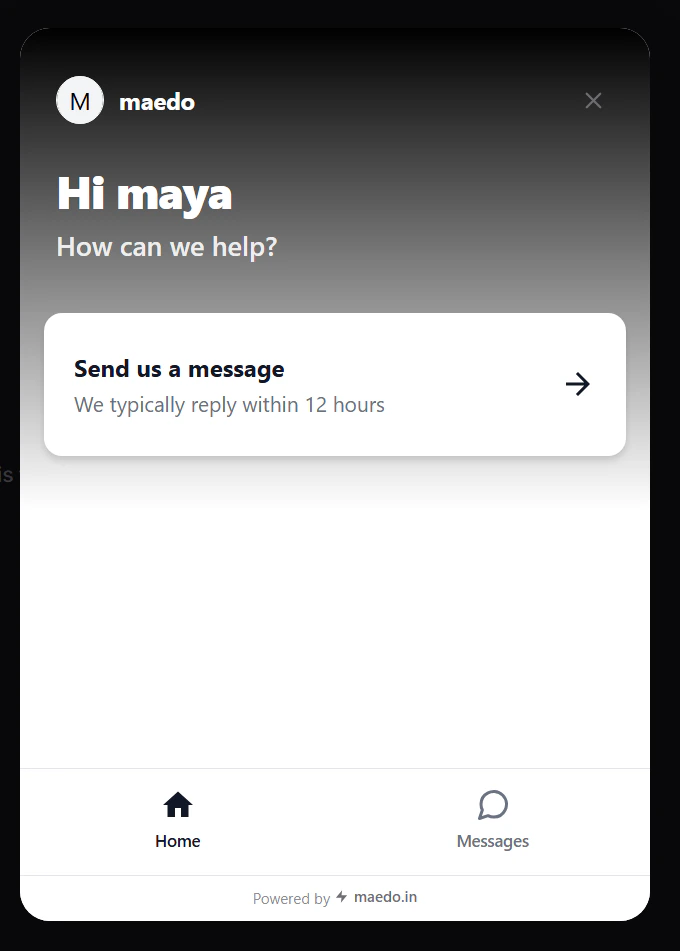 Done! Your bot is now live on your website.
## Next steps
Now that you've added your bot, try [styling it](/agents/configure) to match the rest of your website's user interface.
Learn how to customize and monitor your agent's performance.
Understand how Maedo's Hybrid AI Engine and Memory work.
Done! Your bot is now live on your website.
## Next steps
Now that you've added your bot, try [styling it](/agents/configure) to match the rest of your website's user interface.
Learn how to customize and monitor your agent's performance.
Understand how Maedo's Hybrid AI Engine and Memory work.