

1
Get your embed code
Get your embed code
To embed an agent on your website, you first need its Webchat embed code.- Log in to the Maedo Dashboard.
- Select your agent and go to Webchat > Deploy Settings.
- Copy the Embed code.
2
Add to your website
Add to your website
Next, add the Webchat embed code to the<head> section of your website’s HTML. For example:index.html
3
You're all set!
You’re all set!
Open your website and start chatting with your bot. It should look something like this: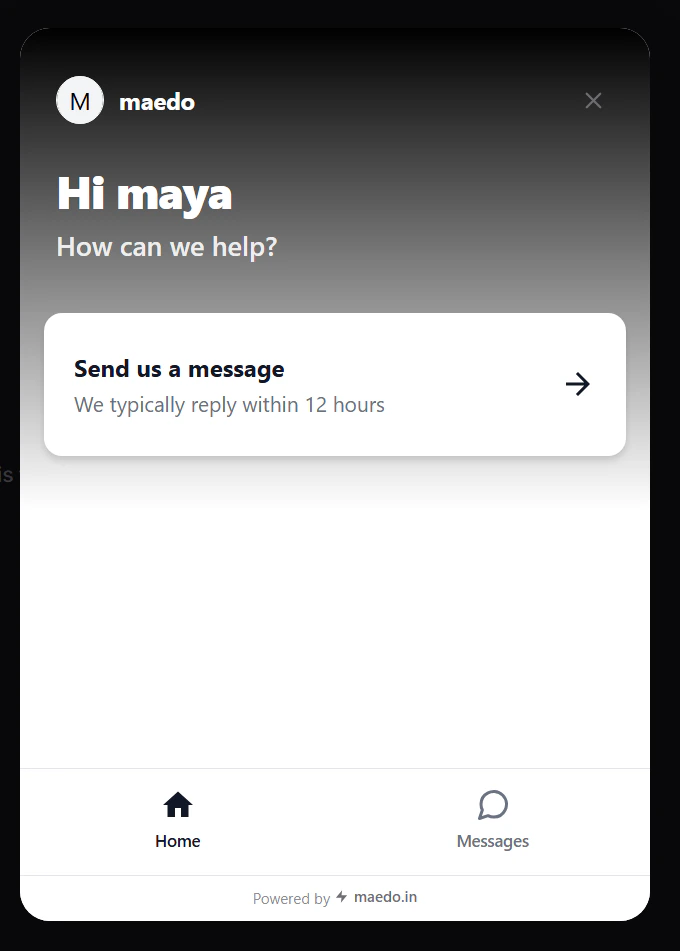
Done! Your bot is now live on your website.
Next steps
Now that you’ve added your bot, try styling it to match the rest of your website’s user interface.Introduction to Webchat
Go back to the overview and core concepts.
Configure Webchat
Deep dive into customization and settings.